
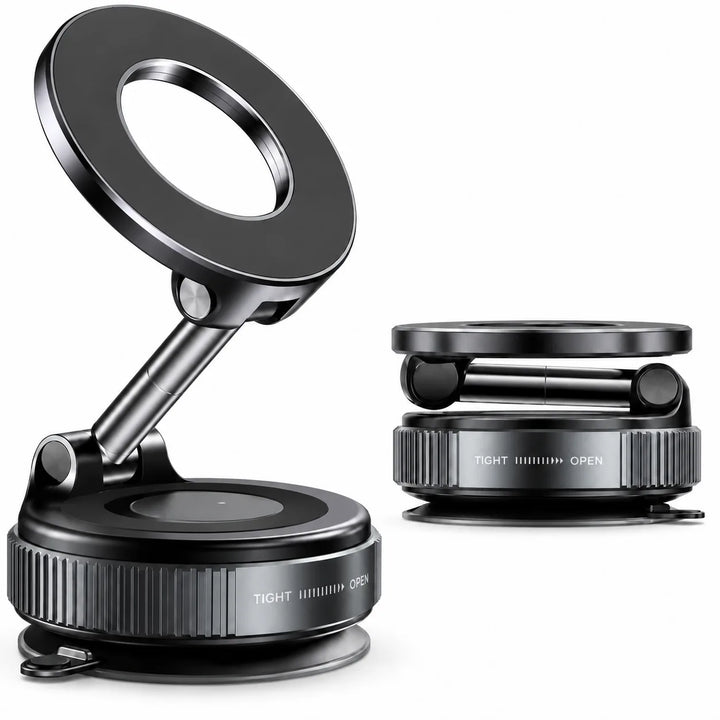
 NG MagLock 360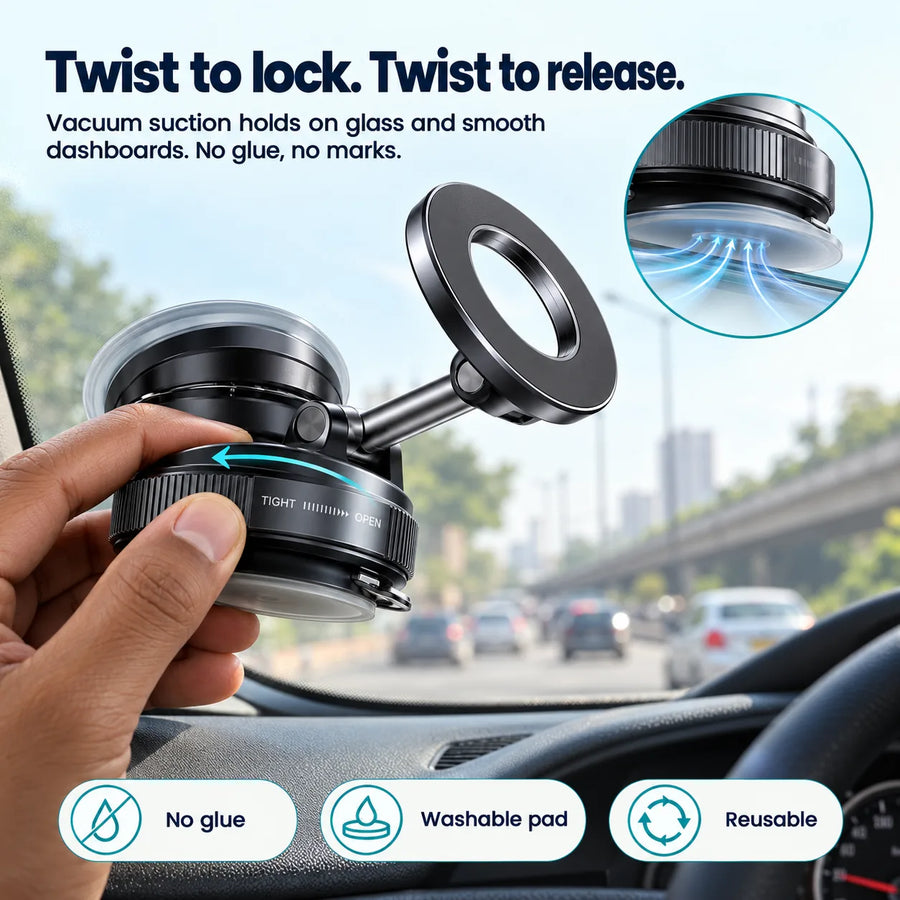
NG MagLock 360
Vacuum suction magnetic phone holder for car dashboard, windshield and desk
- Twist-lock vacuum suction
- No glue, no marks
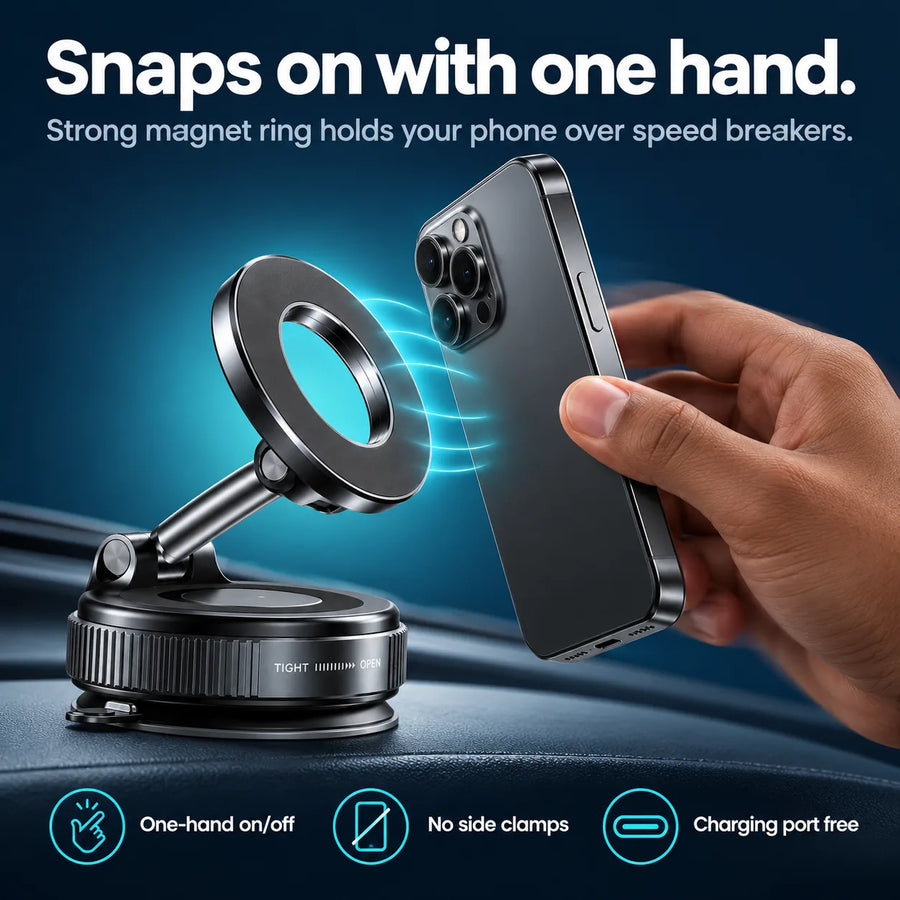
- One-hand magnetic mount
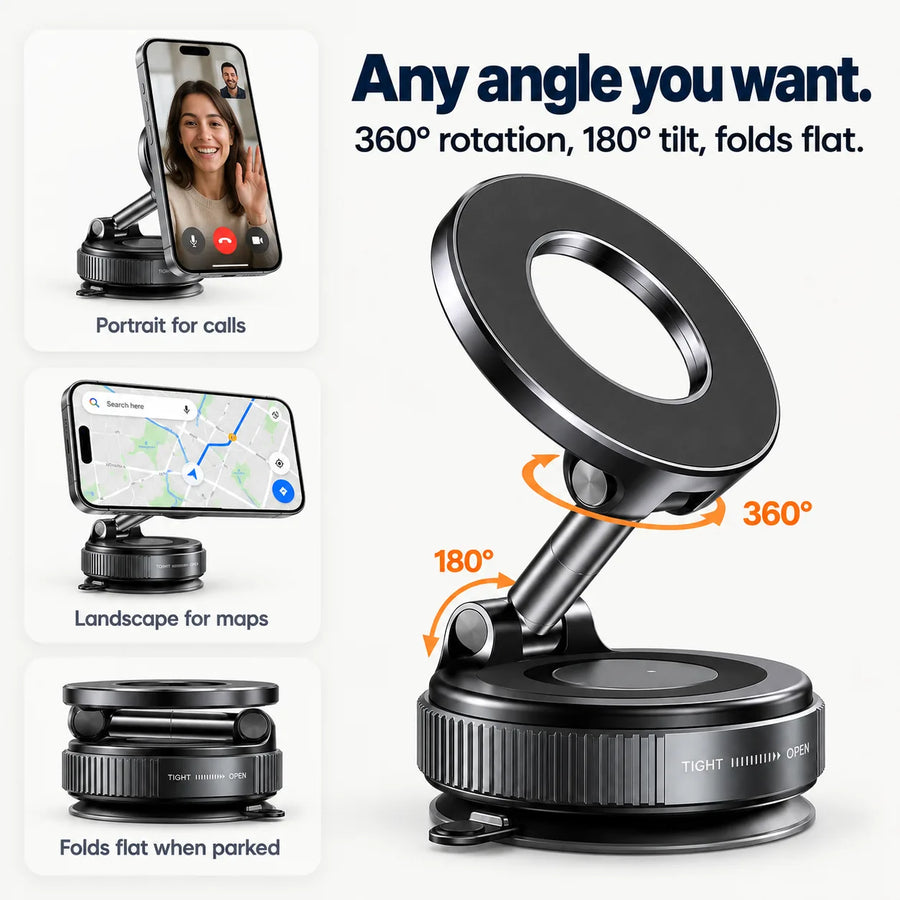
- 360° rotation, 180° tilt
- Folds flat when parked
- Works with iPhone and Android
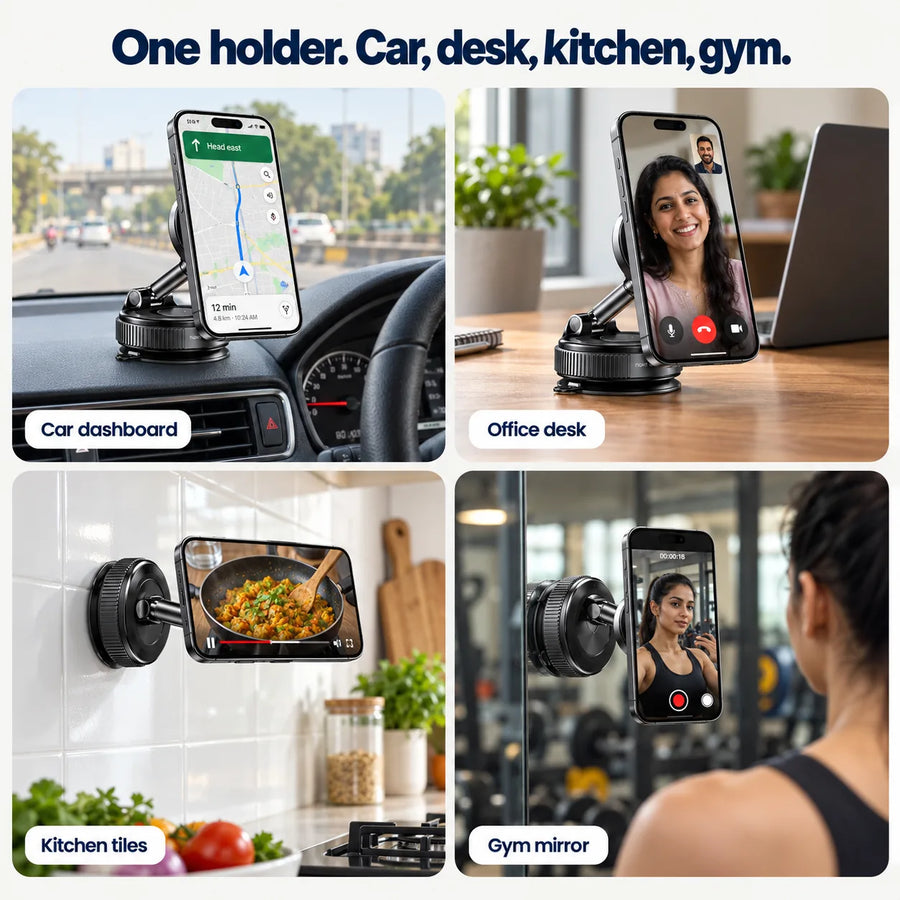
- Car, desk, kitchen, gym
A phone holder that locks onto glass or a smooth dashboard with a twist, holds your phone with magnets, and turns to any angle for maps and calls.Read moreShow less
- Twist-lock vacuum suction: holds on windshield and dashboard, no glue marks
- Magnetic mount: phone goes on and off with one hand while driving
- 360° rotation + 180° tilt: portrait for calls, landscape for maps, folds flat
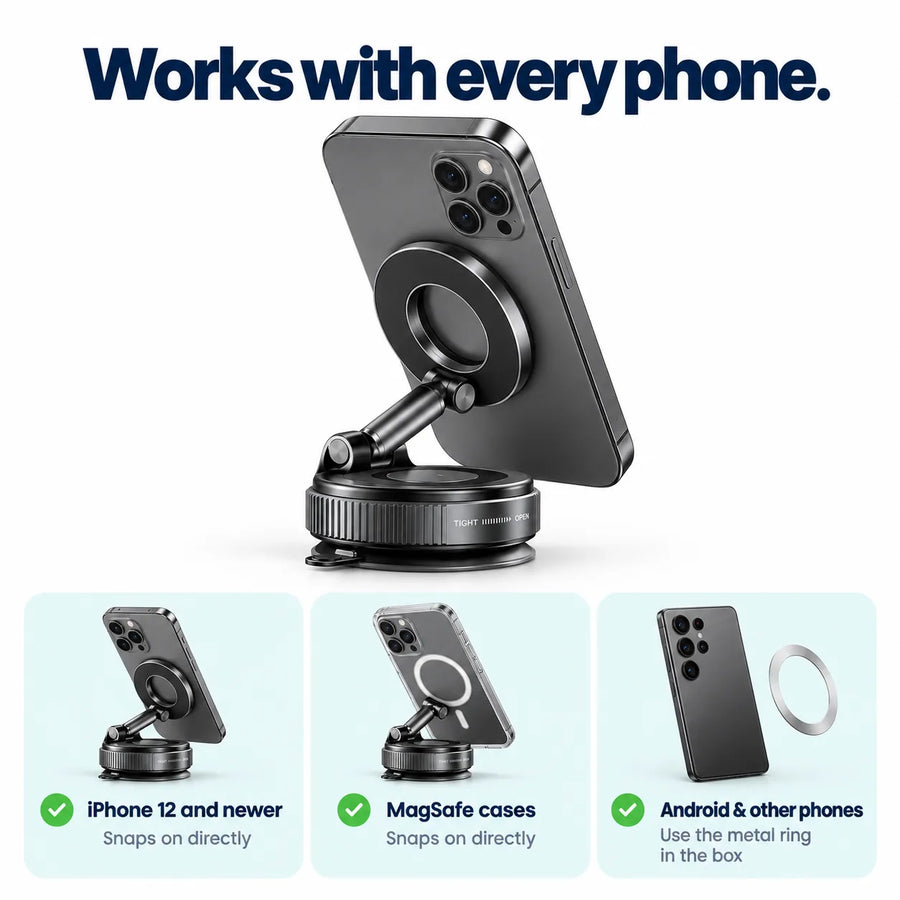
- Fits every phone: MagSafe iPhones direct, Android with the metal ring

Turn the dial to lock it. Turn back to remove.
Turning the dial to TIGHT pulls the air out from under the base, so it holds on the windshield or a smooth dashboard without glue. Turn it to OPEN and it comes off clean, with no sticky marks.
Three parts that keep your phone steady.


Vacuum suction base
A soft, washable suction pad with a pump inside the base. The dial on the side locks and releases it. If it loses grip over time, rinse the pad with water and let it dry.
Ring of strong magnets
Magnets are set in a ring that matches the MagSafe ring on iPhones, so the phone lands in the same spot every time and stays put over speed breakers.
Folding metal arm
An alloy arm with a ball joint on top and a tilt hinge in the middle. It folds flat when you don't need it, so it doesn't block your view.

Your phone snaps on with one hand.
No clamps to open and no arms to squeeze. Bring the phone close and the magnets pull it into place. Pull it off when you reach, while the other hand stays on the steering.

Portrait for calls, landscape for maps.
Rotate the phone a full 360° on the ball joint and tilt the arm to face you, whether the base is on the dashboard or the windshield. Fold it down when you park.
Which phones fit, and how.
iPhones with MagSafe go straight on. For any other phone, stick the metal ring from the box on the back of the phone or its case once.
iPhone 12 and newer
MagSafe iPhones snap on without anything extra. Works with the bare phone or a thin case.
MagSafe cases
Any case with a built-in magnetic ring works directly, on iPhone or Android.
Android and other phones
Samsung, OnePlus, Vivo, Oppo, Realme, Xiaomi, Pixel, Nothing: stick the included metal ring on the phone or the case and it holds.
Use it in the car, on the desk and in the kitchen.

Car dashboard
Maps and calls at eye level while you drive.

Windshield
For dashboards that are curved or textured.

Office desk
Video calls and reels, phone at eye level.

Kitchen tiles
Follow a recipe video without greasy hands on the screen.

Gym mirror
Record your sets or follow a workout.

Bathroom mirror
Watch a show or take a call while you get ready.
How to fix it so it doesn't fall.
Most suction holders fall because the surface was dusty or textured. Follow these four steps.
Clean the spot
Wipe the glass or dashboard with the alcohol wipe or a damp cloth and let it dry. Dust is the main reason suction fails.
Pick the surface
Smooth glass or a smooth, flat dashboard: fix directly. Textured, leather or curved dashboard: stick the base pad first.
Press and lock
Turn the dial to OPEN, press the base flat, then turn it to TIGHT. The base should not slide when you push it.
Snap on the phone
Set the angle and place the phone. If you used the base pad, wait 30 minutes before the first drive.
Made for Indian roads and heat.

Metal arm, matte finish
Alloy arm and ball joint that hold their angle on bumpy roads.

Folds flat when parked
Stays out of your line of sight when you're not using it.
Washable suction pad
Lost its grip? Rinse with water, let it dry, and it sticks again.
Handles a hot dashboard
Park in the sun? Fold the arm and take the phone off, the base stays fixed.
Port and buttons stay free
Nothing grips the sides, so you can charge and press buttons while mounted.
Is MagLock right for you?
Good for
- Daily drivers who use Google Maps or take calls in the car
- Cab, delivery and sales people on the road all day
- Video calls and reels on the office or home desk
- Recipe videos in the kitchen, workouts at the gym
- iPhone users with MagSafe, and Android users with the ring
Not for
- Fixing straight onto fabric or rough plastic without the base pad
- Heavy phones in thick rugged cases without the ring on the outside
- Off-road trips with heavy shaking
- Wireless charging: this holder does not charge your phone
MagLock 360 full specs.
- Type
- Vacuum suction magnetic phone holder
- Mounting
- Twist-lock vacuum suction (TIGHT / OPEN dial), base pad for textured dashboards
- Surfaces
- Windshield, smooth dashboard, desk, glass, mirror, tiles, kitchen counter
- Phone hold
- Magnetic ring, MagSafe-compatible
- Compatible phones
- iPhone 12 and newer directly; all other phones with the included metal ring
- Adjustment
- 360° ball joint, 180° tilt, foldable arm
- Material
- Alloy arm, ABS body, silicone-gel suction pad
- Size
- About 18 × 5 × 5 cm
- Weight
- About 150 g
- Charging
- No (holder only, not a wireless charger)
- In the box
- MagLock 360 holder, metal ring, base pad for textured dashboards, cleaning wipe
Common questions.
Not if it is fixed on a clean, smooth surface and the dial is turned to TIGHT. Wipe the spot first, and on a textured or leather dashboard stick the base pad and wait 30 minutes before driving. If grip drops over time, rinse the suction pad with water and let it dry.
Yes. Stick the metal ring from the box on the back of your phone or case once. Samsung, OnePlus, Vivo, Oppo, Realme, Xiaomi, Pixel and Nothing phones all work this way. iPhone 12 and newer with MagSafe snap on directly.
Yes. A MagSafe case works directly. With a normal or thick case, stick the metal ring on the outside of the case so the magnets touch it.
The vacuum base does not use glue, so it comes off clean when you turn the dial to OPEN. Only the optional base pad for textured dashboards is adhesive.
Yes. Turn the dial to OPEN, lift it off and fix it on your desk, kitchen tiles or a mirror. Any smooth, flat surface works.
No. MagLock 360 is a holder only, not a wireless charger. Your charging port stays free, so you can plug in a cable while the phone is mounted.
Magnetic holders like this work the same way as MagSafe accessories and are made for daily phone use. Keep debit cards and metro cards away from the magnets, so don't mount a phone with a card-wallet case.
Orders are dispatched in 1–2 days and usually delivered in 4–5 days. Delivery is free across India and Cash on Delivery is available.
Return it within 7 days and we will pick it up from your home.
A phone holder that stays where you put it.
Customer reviews.

You may also like.
Pair it with open-ear audio for calls on the road.
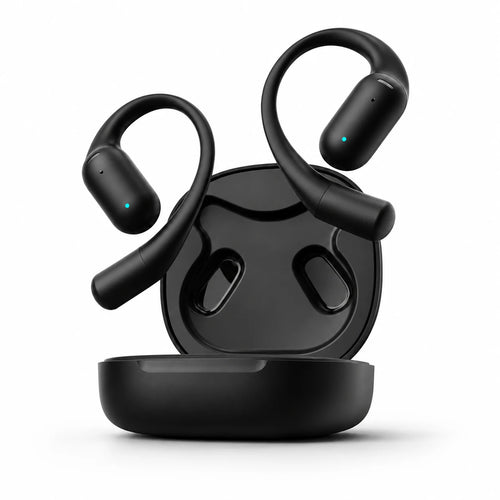
NG x WeHear SafeBuds
Open-ear earbuds for calls while you drive, with live AI translation.
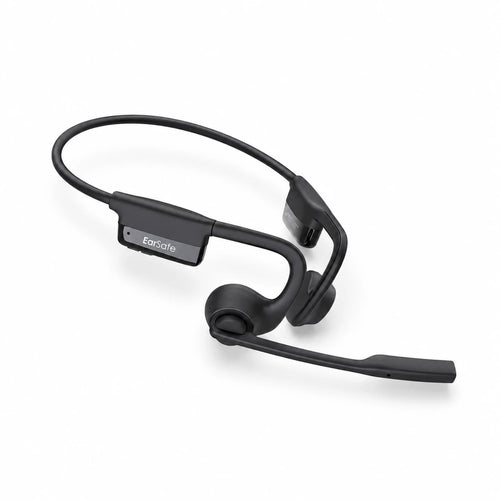
NG EarSafe Comm 2.0
All-day calls with a noise-cancelling boom mic. Open-ear headset.